dust - du 的 Rust 替代品
🔹 安装
- Windows:
scoop install dust - Debian/Ubuntu:
apt install du-dust - Arch Linux:
pacman -Syu dust - Cargo:
cargo install du-dust - GitHub Releases手动:下载二进制并配置好环境变量并运行即可
如果你已经安装并配置好了 Cargo,也可以使用 Cargo 安装。参考:cargo 简单说明
🔹 用法
| 命令 | 说明 |
|---|---|
dust | 直接跑,显示当前目录最大文件/目录 |
dust /path/to/somewhere | 分析指定路径 |
dust -x | 不跨文件系统,跳过 /proc /sys 等挂载点 |
dust -I "\.mp4$" | 排除匹配正则的文件,这里排除所有 .mp4 |
🔹 配置文件
dust 支持配置文件,可以把常用命令行参数写进去,避免每次手动输入。
配置文件位置:
- Linux/macOS:
~/.config/dust/config.toml - 备用位置:
~/.dust.toml
最通用的编辑方式是直接编辑用户目录下的 .dust.toml,Linux/macOS/Windows PowerShell 都可以用:
bash
nano ~/.dust.toml如果想使用 Linux/macOS 上更标准的配置目录,可以先创建目录再编辑:
bash
mkdir -p ~/.config/dust
nano ~/.config/dust/config.toml
推荐日常配置:
toml
reverse = false
number-of-lines = 50
depth = 5
display-full-paths = false
bars-on-right = true
ignore-hidden = true
print-errors = false
collapse = ["node_modules", "target", ".git"]
常用配置项:
| 配置项 | 对应参数 | 推荐值 | 默认行为 / 说明 |
|---|---|---|---|
reverse | -r | false | false,按默认顺序输出 |
number-of-lines | -n 50 | 50 | 未设置 depth 时,默认约等于终端高度减 10;设置了 depth 时,默认不限制行数 |
depth | -d 5 | 5 | 默认不限制深度,相当于自动递归找最大的目录和文件 |
display-full-paths | -p | false | false,默认缩短路径显示 |
bars-on-right | -B | true | false,默认把百分比条显示在左侧 |
ignore-hidden | -i | true | false,默认显示隐藏文件 |
print-errors | --print-errors | false | false,默认只汇总提示无权限等错误 |
collapse | --collapse | ["node_modules", "target", ".git"] | 默认不折叠指定目录 |
TIP
命令行参数优先级更高,比如配置里写了 depth = 5,临时运行 dust -d 5 还是会按 -d 3 来。
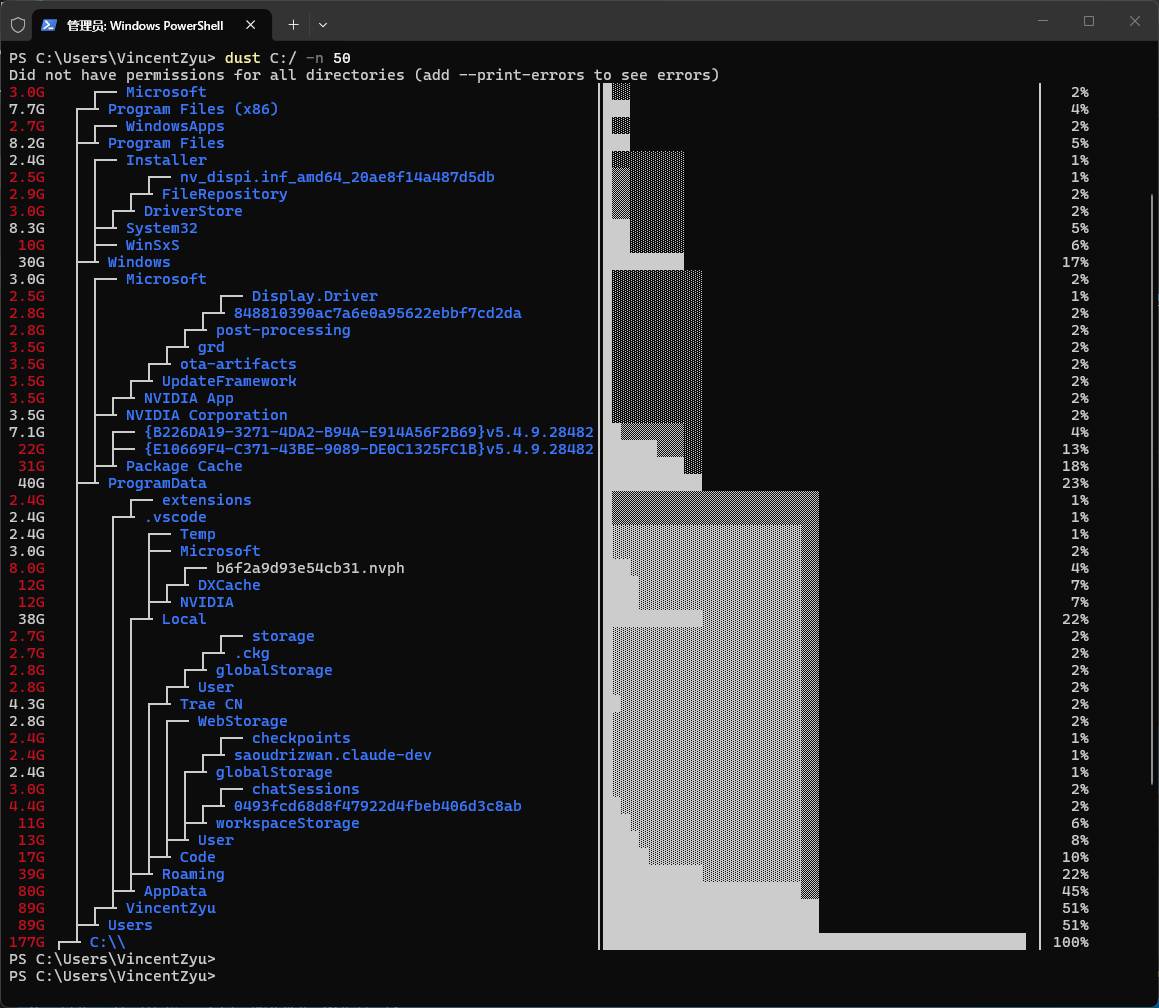
🔹 最终效果
dust 会智能排序并显示最大的目录和文件,彩色条直观展示各目录的磁盘占用占比。